Posts

Showing posts with the label MDS

SQL Server MDS : How to Know Actual MDS Table name for Model Entity and Column name for the Attribute

How to Know Actual MDS Table name for Model Entity and Column name for the Attribute . here is the Script  USE MDS ------------------------------------------------------------ -- TODO: Define Model name, Entity name, and Attribute Name        DECLARE @Model NVARCHAR ( 50 )        = '<<GiveModelName>>' ;        DECLARE @Entity_Name NVARCHAR ( 50 ) = '<<GiveEntityName>>' ;        DECLARE @Attribute_Name NVARCHAR ( 50 )= '<<GiveAttributeName>>' ; ------------------------------------------------------------ -- Set @Table name        DECLARE @Table NVARCHAR ( 128 );              SELECT @Table = EntityTable FROM mdm . viw_SYSTEM_SCHEMA_ENTITY WHERE Model_Name = @Model AND name = @Entity_Name ; --...
MDS Error 300034 - The member code is already used by a member that was deleted. Pick a different code or ask an administrator to remove the deleted member from the MDS database + Solution

Hi All when we tried to delete the members whose code is not autogenerated ( ie having specific code to the member) and try to insert the same code member we will get this error. The delete in MDS is a Soft delete which will available in MDS tables even after these deletes . So fallow these steps to avoid the error Step1 : Reverse the transaction of the deleted member to bring the member and its code back to an active state. See here for reactivating a deleted member: https://msdn.microsoft.com/en-us/library/ff487037(v=sql.110).aspx Step 2 : After that , use entity based staging to purge (permanently delete) the code from MDS. This will require using an import type of 4 or 6. Here is more information regarding entity based staging: https://msdn.microsoft.com/en-us/library/ee633854(v=sql.110).aspx Step 3:  Insert the member with same code now you wont get error .

MDS 2014 : How to Create Custom Index on MDS attributes

Hi All we need to Create index on some of the Matching attributes in our Customer Entity. It is not straight forward in MDS DB , so for that we need to do the fallowing steps Step1 : Get the Entity ID and EntityTable metadata from mdmtblEntity  table in MDS DB Step2 : Need to Get the attribute tablecolumn from mdm.tblAttribute table . we can create a Dynamic query to create custome index when you know EntityName and attributes names. Dyanmic query USE MDS GO Declare @SQL Varchar(2000), @f int =0 Declare  @i int, @S Varchar(50) Select @S=EntityTable , @i=ID From mdm.tblentity where name='Customer' If Exists (Select Name From Sysindexes Where Name='IX_Customer_MatchAttributes_001') Begin Set @SQL ='Drop Index IX_Customer_MatchAttributes_001 on mdm.' +  @S exec  (@SQL) set @f=1 End Set @SQL   ='CREATE NONCLUSTERED INDEX IX_Customer_MatchAttributes_001 ON [mdm].' Set @SQL= @SQL + '['+  @S +'] (' Select @SQL = @SQL + '[...

SQL Server 2014 Master Data Services + The execute permission was denied on the object ‘udpSystemget’ database MDS, schema mdm + solution

Image
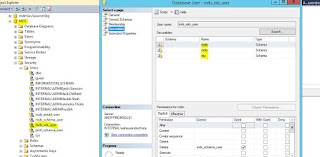
Hi All when we restore the MDS DB from one environment to another Environment and the versions are not same in those  environments  in this we case , after restoration is finished we connect to Master Data services configuration manager and then select the restored DB , it automatically enable Upgrade Database option , then go with that option . once everything is configured , when try to connect using Master data maestro tool we are getting I am getting the fallowing error  The execute permission was denied on the object ‘udpSystemget’ database MDS , schema mdm . Cannot find the object 'tblStgBatch', because it does not exist or you do not have permission. Cannot find the object 'tblUserMemberCount', because it does not exist or you do not have permission. Then I started debugging the issue I ran the MDS configuration manager  also it required upgrade database option and I did it , it is successful , and I am also able to browse MDS APP , there i...

SQL Server 2014 Master Data Services issue + [HttpWebRequest_WebException_RemoteServer] Arguments : NotFound Debugging resouce strings are unavailable and its solution

Image
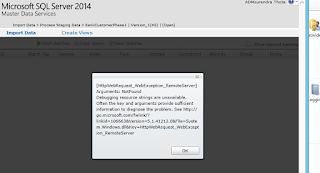
Hi All when we restored the MDS database in sql server and configured the Master data services configuration manager  and all the settings went well . when we try to access the Master data services web service we are able to access the web service but when we click on any feature we are getting the [HttpWebRequest_WebException_RemoteServer] Arguments : NotFound  Debugging resouce strings are unavailable  as shown below then we try to browse the  MDS services http://localhost/MDS/Service/Service.svc we got the fallowing error Server Error in '/MDS_PreProd' Application. Memory gates checking failed because the free memory (5234458624 bytes) is less than 5% of total memory.  As a result, the service will not be available for incoming requests.  To resolve this, either reduce the load on the machine or adjust the value of minFreeMemoryPercentageToActivateService on the serviceHostingEnvironment config element. Description: An...